
Why Reactive IT Costs Schools More Than Proactive IT
Is Your School Fixing Problems or Preventing Them?
For many private schools, technology support follows a familiar pattern.
The WiFi goes down. A teacher can't access a classroom application. A server begins having issues.
A support ticket is submitted, the issue gets fixed, and everyone moves on.
At first glance, this seems like a normal approach to IT.
But over time, constantly reacting to technology problems can become one of the most expensive and disruptive ways to manage your school's technology.
The question isn't whether issues will occur.
It's whether your school is prepared to prevent them before they impact learning and operations.
The Problem: Many Schools Operate in Reactive Mode
Reactive IT focuses on responding to problems after they happen.
This often looks like:
Fixing equipment after it fails
Addressing cybersecurity concerns after vulnerabilities are discovered
Replacing hardware only when it stops working
Solving recurring issues one ticket at a time
While problems may eventually get resolved, the root causes often remain.
As a result, schools find themselves dealing with the same issues over and over again.
Why This Happens
Most schools are busy.
Administrators are focused on students, teachers, budgets, and daily operations.
Technology planning can easily take a back seat until a problem becomes urgent.
Common reasons schools fall into reactive IT include:
No technology roadmap
Limited visibility into aging equipment
Lack of proactive monitoring
Budget decisions driven by emergencies
IT providers focused on fixing issues rather than preventing them
Over time, this creates a cycle of constant troubleshooting.
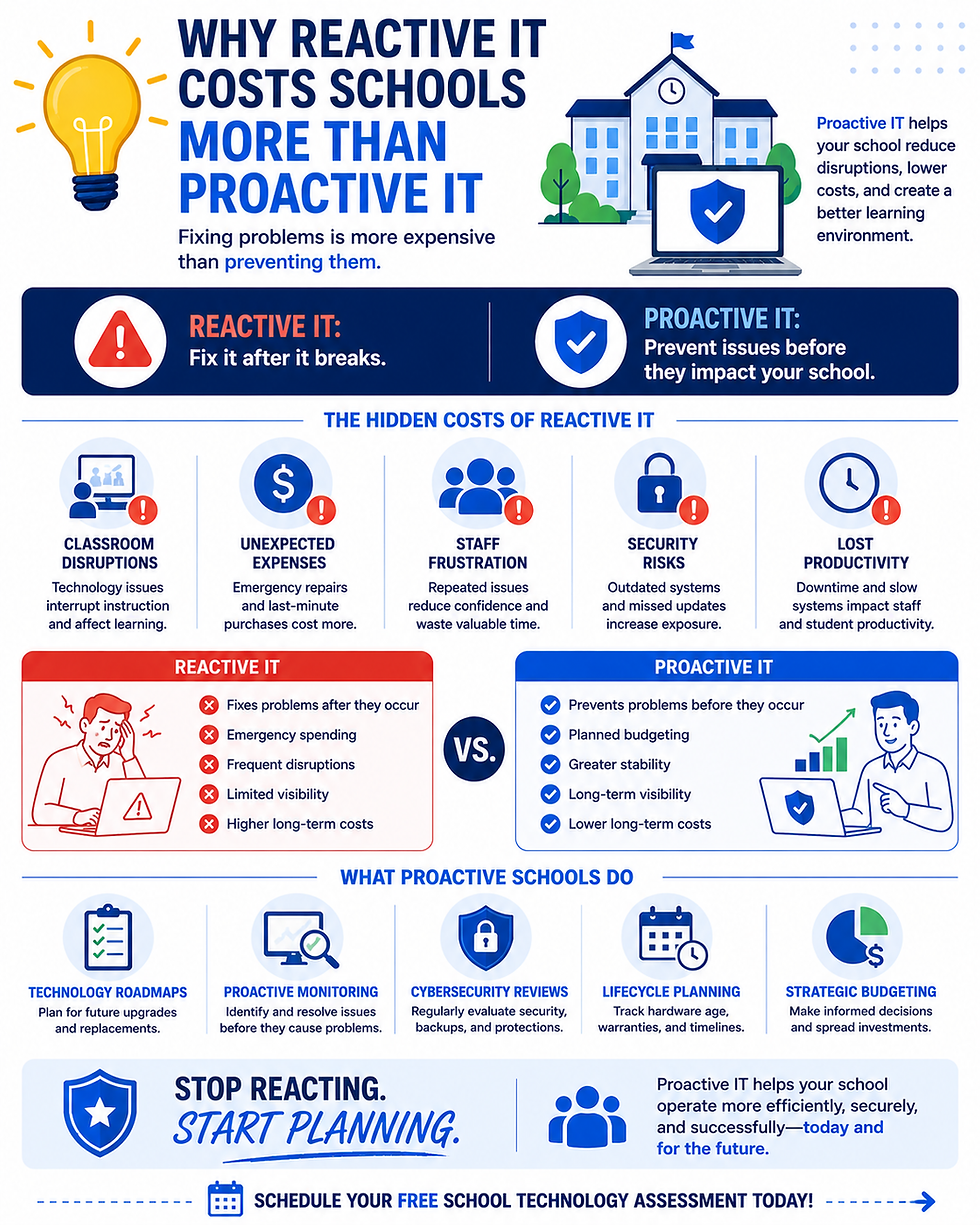
The Hidden Costs of Reactive IT
The highest cost of reactive IT isn't always the repair bill.
It's everything that happens around the problem.
Classroom Disruptions
When technology fails during instruction, teachers lose valuable learning time.
Students become distracted, lessons are interrupted, and productivity declines.
Unexpected Expenses
Emergency replacements are almost always more expensive than planned upgrades.
Schools often have fewer options and less negotiating power when decisions must be made quickly.
Staff Frustration
Repeated technology issues reduce confidence in systems and increase frustration among teachers and administrators.
Security Risks
Outdated hardware and unsupported software often remain in place longer than they should, increasing cybersecurity exposure.
Lost Productivity
Every technology issue impacts staff, students, and operations in ways that aren't always visible on a budget report.
What Proactive Schools Do Differently
Schools that experience fewer disruptions typically take a proactive approach.
Instead of waiting for problems, they actively look for potential risks.
This often includes:
Technology Roadmaps
Planning future upgrades and replacements before equipment reaches end-of-life.
Proactive Monitoring
Identifying performance issues before users experience them.
Cybersecurity Reviews
Regularly evaluating systems, backups, and security controls.
Lifecycle Planning
Tracking hardware age, warranties, and replacement schedules.
Strategic Budgeting
Spreading technology investments across multiple years instead of relying on emergency purchases.
Reactive IT vs. Proactive IT
Reactive IT | Proactive IT |
Fixes problems after they occur | Prevents problems before they occur |
Emergency spending | Planned budgeting |
Frequent disruptions | Greater stability |
Limited visibility | Long-term planning |
Higher long-term costs | Predictable technology investments |
The goal is not to eliminate every issue.
The goal is to reduce disruptions, improve reliability, and avoid costly surprises.
How to Know If Your School Is Stuck in Reactive Mode
Ask yourself:
Are technology issues frequently disrupting classrooms?
Do major technology purchases often happen unexpectedly?
Are the same issues appearing repeatedly?
Has your infrastructure been reviewed recently?
Do you have a documented technology roadmap?
If the answer to several of these questions is no, your school may be operating reactively.
Is Reactive IT Costing Your School More Than You Realize?
Many private schools we work with are surprised to discover how much time, money, and frustration can be reduced through proactive technology planning.
CyberSphere Solutions offers a Free School Technology Assessment, where we review your infrastructure, identify risks, evaluate aging equipment, and provide recommendations to help your school move from reactive IT to proactive technology management.
If you would like a better understanding of how your technology environment compares, we would be happy to schedule a short 30-minute discussion.


Comments